Developing Scenarios using the ScenarioWizard
Scenario development with the ScenarioWizard is carried out in four steps.
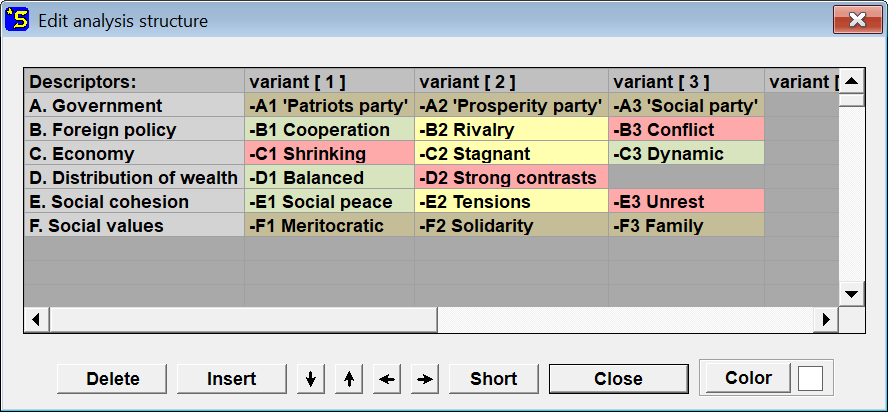
1. Compile a list of descriptors (relevant system elements) and the variants attributed to them as alternative futures. Both together form the analysis structure for scenario development.
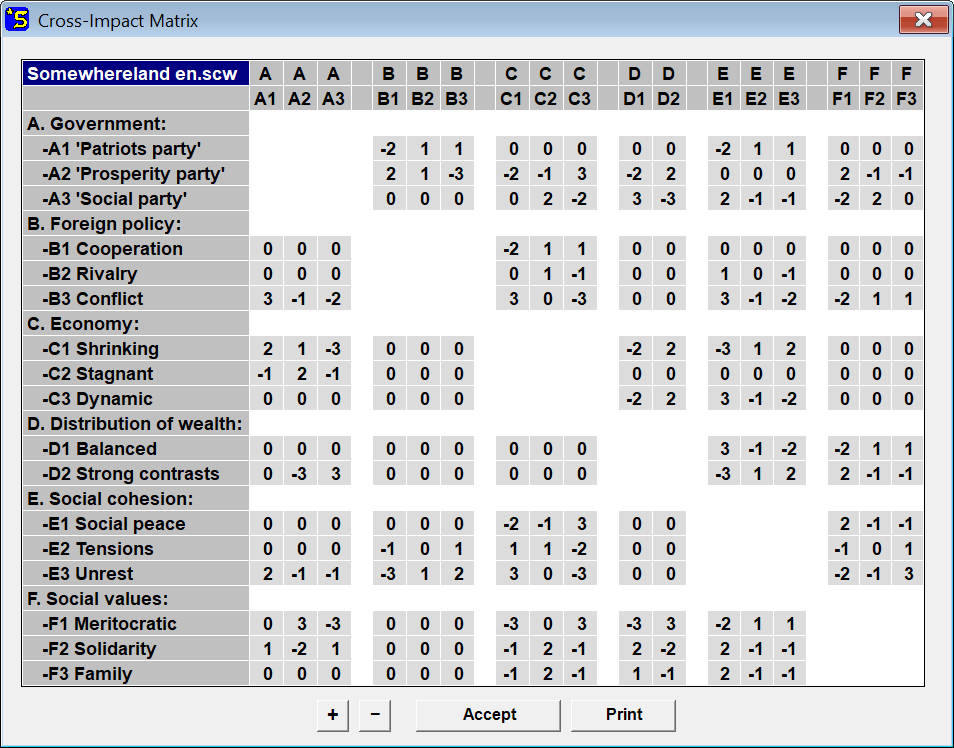
2. Enter the cross-impact data into this structure. The analysis structure and the cross-impact data together form the cross-impact matrix.
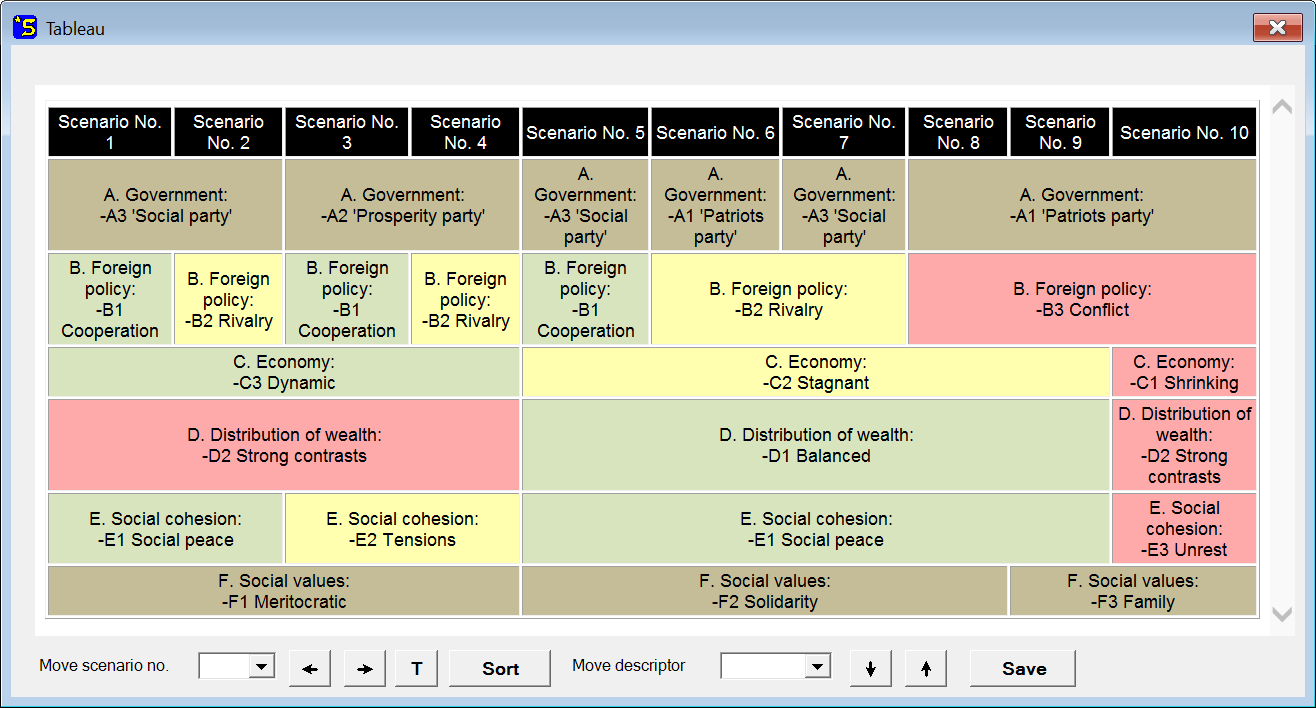
3. Evaluate the cross-impact matrix by computing its consistent scenarios. One way to present the scenarios is to display them in a scenario tableau.
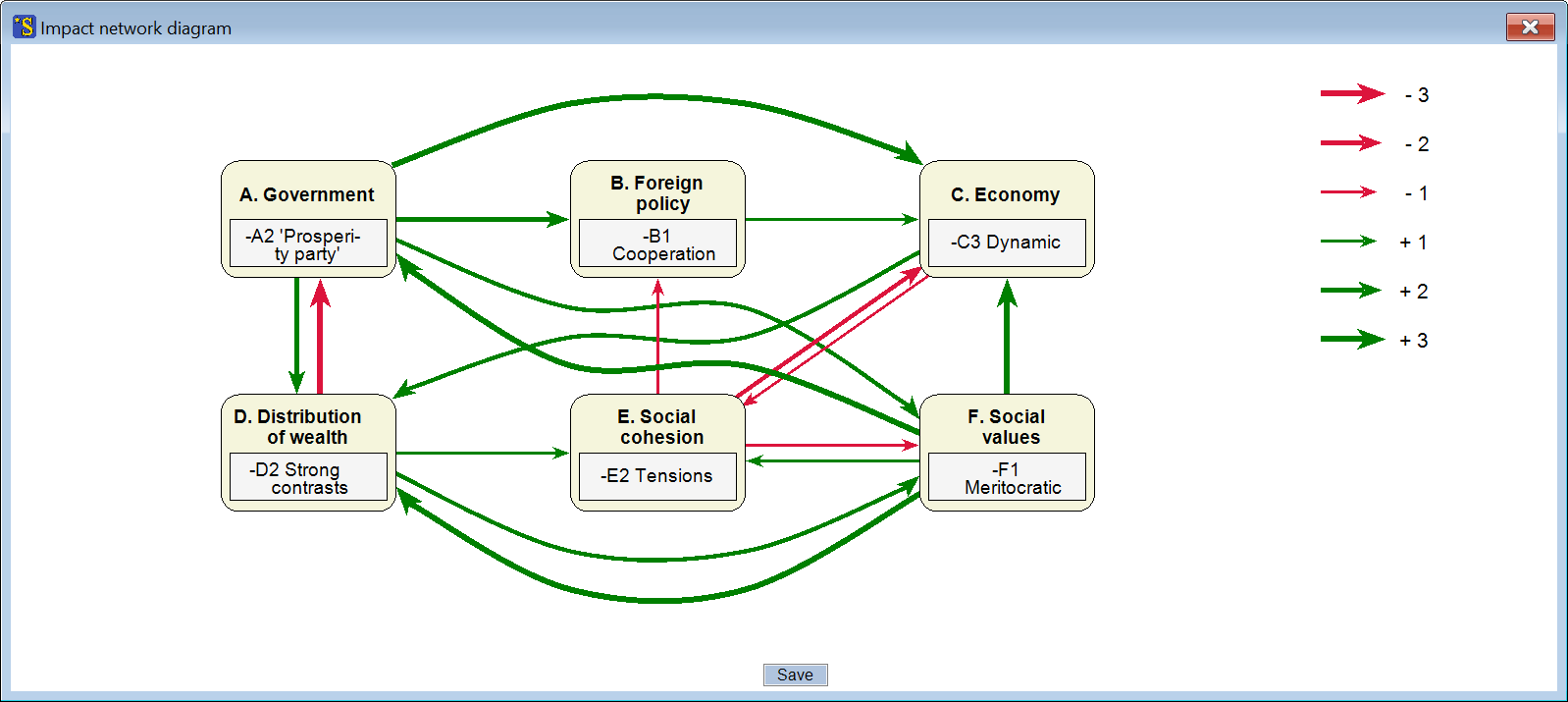
4. The internal logic of the scenarios can then be examined using a variety of evaluation functions. For example, an impact diagram can be drawn for each scenario, in which the promoting and inhibiting influence relationships between the scenario elements are shown.
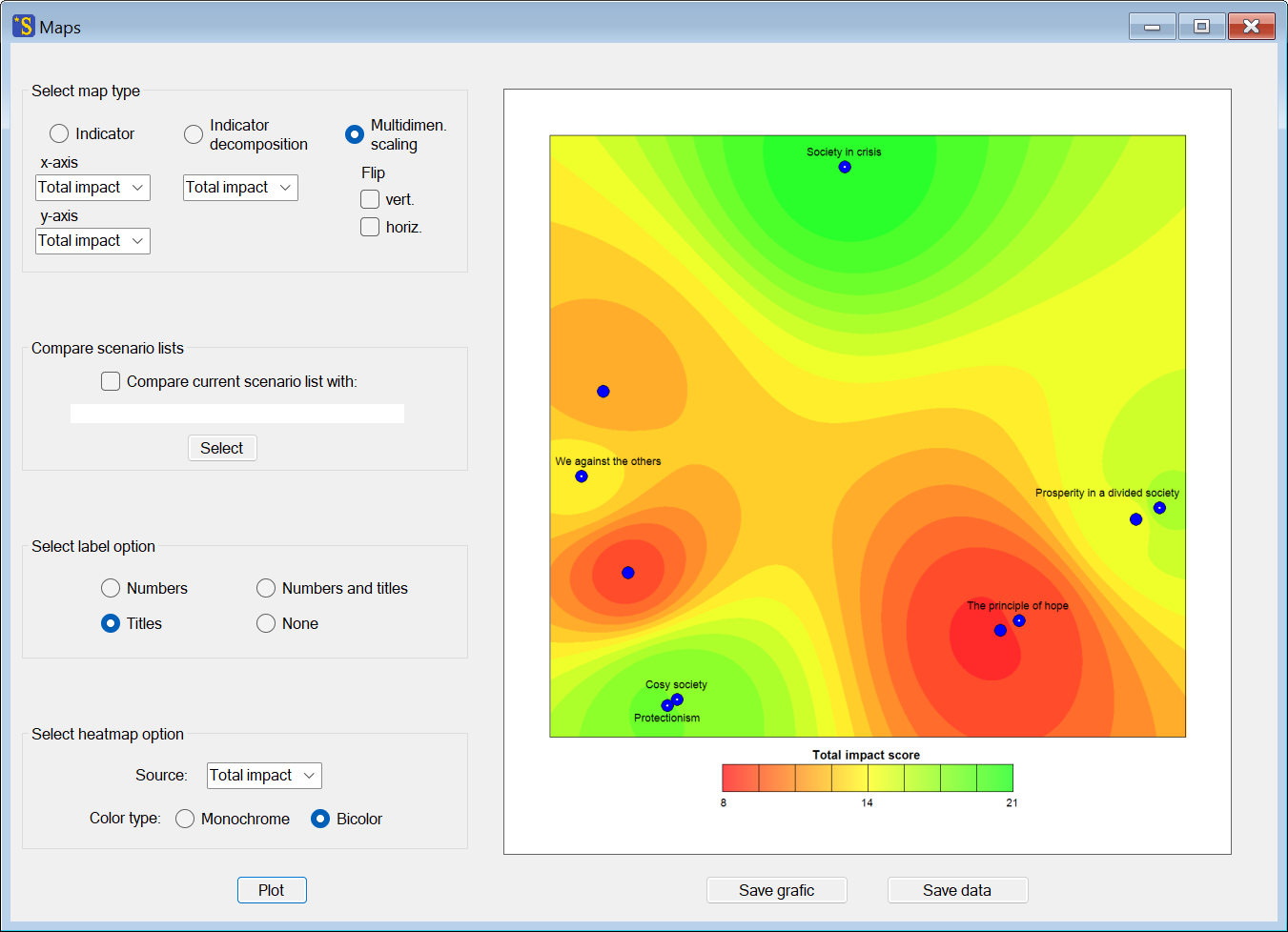
5. Beyond the individual scenarios, the future landscape of the system under study can also be visualized as a whole, for example using a so-called MDS plot, in which the scenarios are arranged according to their mutual similarities and dissimilarities, and the stable and unstable domains of the future landscape are indicated by different colors.